What Office Meeting Bingo Is
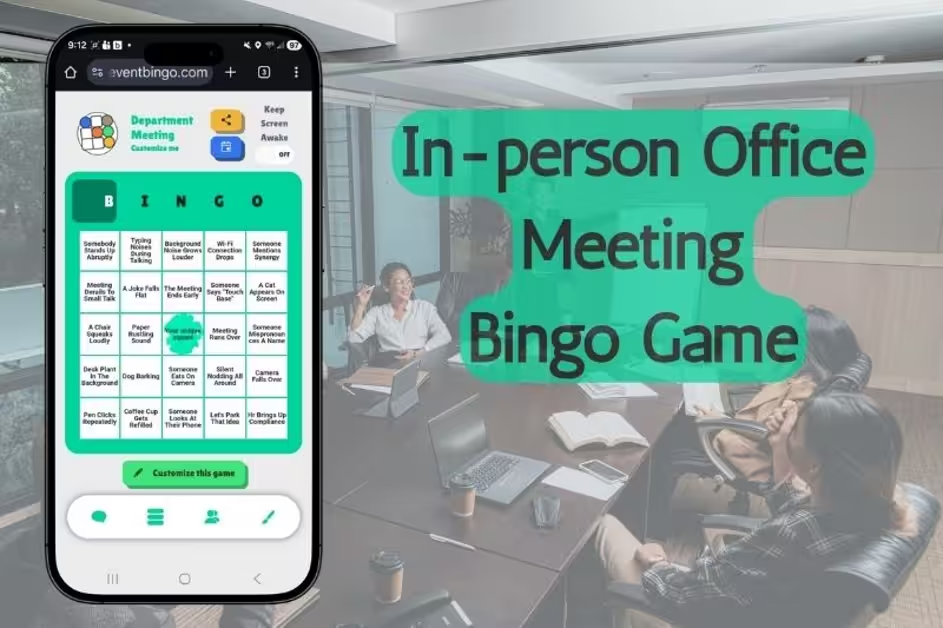
Office meeting bingo is a bingo game built from the things that always happen in your meetings. Everyone opens one game link on their phone, gets their own shuffled card, and taps a square when that moment happens in the room. Five in a row across, down or on the diagonal is a bingo, and the game spots it for you. It is free, there is no app to install, and there is nothing to print.
It works because every office already has its greatest hits. Somebody brings donuts and the meeting still starts ten minutes late. The dry erase marker dies halfway through the one diagram that mattered. The room was booked for exactly as long as the meeting, which is to say not long enough. Your team already knows the script. Now there is a square for it.
Squares: The built-in In-Person Meeting game comes loaded with the classics. "Someone brings donuts." "Dry erase marker dies." "Someone hogs the whiteboard." "Too hot or too cold." "Low-hanging fruit mentioned." "Let's unpack that." "No one volunteers." "Clock-watching begins early." And the square that sums up half the calendar: "This could've been an email."
Then make it yours. Add the acronym only your team understands. The manager who says "let's take this offline" and never, ever does. The projector that only one person in the building knows how to turn on. The more specific the square, the harder the room laughs when it lands.
Themes: Swap the letters across the top of the card from BINGO to FOCUS, ALIGN, or any five letter word your team would actually say. Set the free center square to the one thing that happens every single time, like "someone sneaks in late."
Devices: Everyone plays quietly from the phone in their lap. No paper cards, nothing to print, nothing to pass around the table. Each player marks their own card, so nobody can see which square you just tapped, but the game feed tells everyone that somebody marked one. That is usually enough to make three people look up at once.
It works because every office already has its greatest hits. Somebody brings donuts and the meeting still starts ten minutes late. The dry erase marker dies halfway through the one diagram that mattered. The room was booked for exactly as long as the meeting, which is to say not long enough. Your team already knows the script. Now there is a square for it.
Squares: The built-in In-Person Meeting game comes loaded with the classics. "Someone brings donuts." "Dry erase marker dies." "Someone hogs the whiteboard." "Too hot or too cold." "Low-hanging fruit mentioned." "Let's unpack that." "No one volunteers." "Clock-watching begins early." And the square that sums up half the calendar: "This could've been an email."
Then make it yours. Add the acronym only your team understands. The manager who says "let's take this offline" and never, ever does. The projector that only one person in the building knows how to turn on. The more specific the square, the harder the room laughs when it lands.
Themes: Swap the letters across the top of the card from BINGO to FOCUS, ALIGN, or any five letter word your team would actually say. Set the free center square to the one thing that happens every single time, like "someone sneaks in late."
Devices: Everyone plays quietly from the phone in their lap. No paper cards, nothing to print, nothing to pass around the table. Each player marks their own card, so nobody can see which square you just tapped, but the game feed tells everyone that somebody marked one. That is usually enough to make three people look up at once.
How to Play It Without Derailing the Meeting
The point is a quieter, funnier meeting, not a louder one. Here is the whole flow.
1. Create the game. Start with the In-Person Meeting game and trim or add squares to fit your team. Two minutes, tops.
2. Share the link before the meeting starts. Drop it in the calendar invite or the team chat, or put the QR code up on the screen while people find their seats. Everyone joins from their own phone. No app, and no account needed to play.
3. Mark squares as the meeting unfolds. The slide deck arrives late. Someone asks a question that was answered two slides ago. The thermostat picks a side. Tap the square and keep a straight face.
4. Five in a row is a bingo. The game checks every card, so nobody has to count, and the confetti on the winner's phone is the announcement. By default the game makes room for up to five winners, so the first bingo does not end it for everyone else. The live multiplayer bingo page covers the chat, the leaderboard and the rest of what players see while it runs.
A few notes from teams that run it weekly. Recurring standups are the natural home, because the same five squares threaten to fill every single week and somehow the suspense never dies. All-hands meetings are the big game: more people, more microphones, more chances for "phone buzzes loudly." Hybrid works too. The people at the table and the people dialing in play the same game from the same link, and if most of your team is remote, virtual meeting bingo has a board built for video calls.
Keep it friendly. The payoff is the moment somebody's phone throws confetti while the quarterly numbers are still on screen, and nobody can say a word.
1. Create the game. Start with the In-Person Meeting game and trim or add squares to fit your team. Two minutes, tops.
2. Share the link before the meeting starts. Drop it in the calendar invite or the team chat, or put the QR code up on the screen while people find their seats. Everyone joins from their own phone. No app, and no account needed to play.
3. Mark squares as the meeting unfolds. The slide deck arrives late. Someone asks a question that was answered two slides ago. The thermostat picks a side. Tap the square and keep a straight face.
4. Five in a row is a bingo. The game checks every card, so nobody has to count, and the confetti on the winner's phone is the announcement. By default the game makes room for up to five winners, so the first bingo does not end it for everyone else. The live multiplayer bingo page covers the chat, the leaderboard and the rest of what players see while it runs.
A few notes from teams that run it weekly. Recurring standups are the natural home, because the same five squares threaten to fill every single week and somehow the suspense never dies. All-hands meetings are the big game: more people, more microphones, more chances for "phone buzzes loudly." Hybrid works too. The people at the table and the people dialing in play the same game from the same link, and if most of your team is remote, virtual meeting bingo has a board built for video calls.
Keep it friendly. The payoff is the moment somebody's phone throws confetti while the quarterly numbers are still on screen, and nobody can say a word.

The Meeting You Will Not Dread
Meetings are not going anywhere. But a team that is quietly listening for "synergy" is a team that is, technically, listening. Office meeting bingo keeps the room present, gives everyone something to share besides the agenda, and costs nothing: no app, no printing, one link.
It fits weekly standups, sprint reviews, staff meetings, monthly all-hands, and the Thursday meeting that could have been an email. Start with the built-in In-Person Meeting game, tune the squares to your office's particular brand of chaos, and share the link before somebody says "let's give folks another minute."
Running a staff meeting at a school? Back-to-school meeting bingo has a board made for faculty day. Got an all-day conference or training session on the calendar instead? That is a different animal, and seminar bingo is built for it. And if you are new to running a live game, how to play bingo online gets everyone in before the first agenda item.
It fits weekly standups, sprint reviews, staff meetings, monthly all-hands, and the Thursday meeting that could have been an email. Start with the built-in In-Person Meeting game, tune the squares to your office's particular brand of chaos, and share the link before somebody says "let's give folks another minute."
Running a staff meeting at a school? Back-to-school meeting bingo has a board made for faculty day. Got an all-day conference or training session on the calendar instead? That is a different animal, and seminar bingo is built for it. And if you are new to running a live game, how to play bingo online gets everyone in before the first agenda item.