We've all experienced Death by PowerPoint. The presentation starts strong, but somewhere around slide 20, attention begins to fade. People glance at their phones, check the time, or start thinking about what they're having for lunch. Meanwhile, the presenter still has another 30 slides to cover.
What if you could turn your next seminar or presentation into an interactive game that gives everyone a reason to pay attention?
That's exactly what MyEventBingo brings to the table. A custom Bingo game adds a little friendly competition to your seminar, encouraging participants to listen closely, follow along, and have some fun while learning.
Give Your Audience a Reason to Pay Attention
One of the biggest challenges of a long presentation is maintaining audience attention. Even interested participants can lose focus when they're sitting through an hour or more of slides, explanations, and discussion.
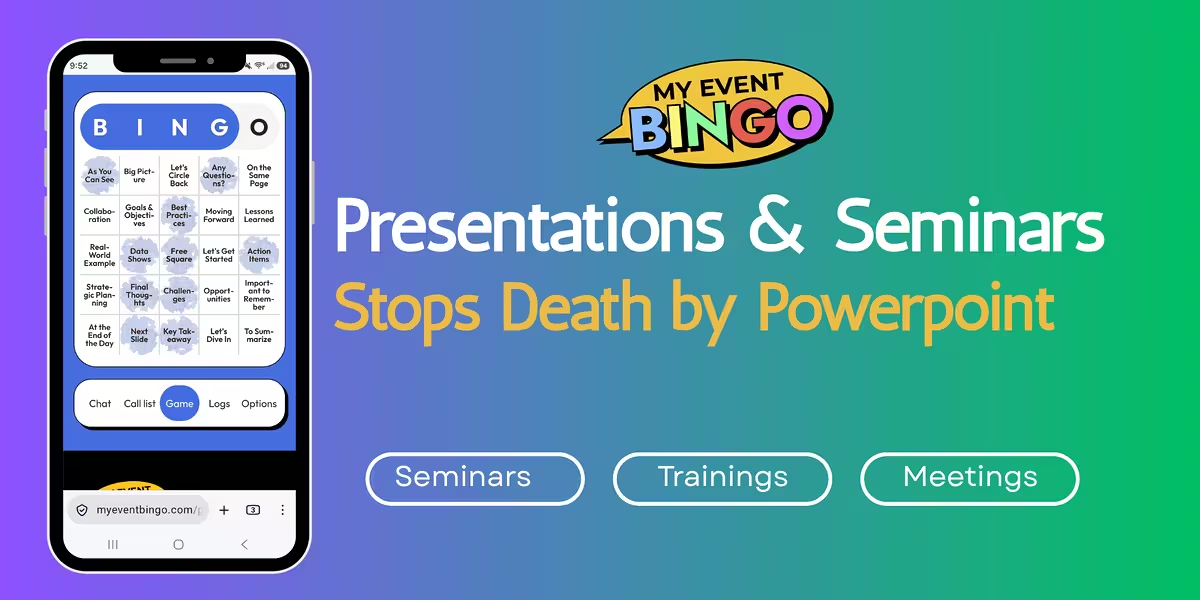
With MyEventBingo, attendees play a live bingo game built around the content of your presentation. Instead of traditional bingo numbers, their boards contain words and phrases that you've selected from your material.
As you present, participants listen for those words and mark them on their bingo boards when they hear them. Every new topic, explanation, or important phrase becomes another opportunity to complete a winning row.
Suddenly, your audience has a reason to listen to every word you're saying. They're following your presentation, anticipating what might come next, and hoping the next phrase you mention will bring them closer to BINGO!
That extra layer of excitement can make a meaningful difference, particularly during longer seminars where keeping everyone focused is an ongoing challenge.
Turn Your Presentation Content Into an Engaging Bingo Game
The beauty of Presentation Bingo is how easily you can tailor it to your seminar. MyEventBingo lets you customize your bingo board with words and phrases that you know will come up during your presentation.
Imagine you're delivering a workplace training seminar, a sales presentation, or an annual company meeting. You already know the subjects you'll cover, the terminology you'll use, and the key messages you want your audience to remember.
Those become your bingo squares.
For example, depending on your presentation, your board might include:
- Corporate meeting: Quarterly goals, customer satisfaction, revenue growth, team collaboration, strategic planning
- Employee training: Safety procedures, company policy, best practices, compliance, workplace communication
- Sales seminar: Lead generation, customer relationships, conversion rates, product benefits, sales targets
- Educational seminar: Learning objectives, critical thinking, practical applications, key concepts, professional development
You can even include phrases that appear throughout multiple sections of your presentation. When an attendee hears one, they'll recognize it and check their board to see if they have a match.
The presenter controls the content, making the game appropriate for virtually any subject. You can design the board around specific learning objectives, important terminology, or recurring themes that deserve extra attention.
Add a Little Friendly Competition and a Gift for the Winner
A little competition can turn a room full of passive listeners into enthusiastic participants. Once people realize they're only a few squares away from winning, there's a good chance they'll be listening especially closely for their next match.
Want to make it even more exciting? Offer a small gift to the bingo winner!
It doesn't need to be anything extravagant. A $10 coffee gift card, company merchandise, a small gift basket, or even a humorous trophy can give attendees something extra to play for.
For longer seminars, consider offering prizes for multiple winners throughout the presentation. This keeps the excitement going and gives participants additional opportunities to win.
You can also build anticipation by letting everyone know at the beginning that there's a swag bag waiting for the winner. That simple announcement can add energy to the room before your first slide even appears.
Make Your Seminar Interactive Without Complicating It
Adding an interactive activity to a presentation shouldn't create more work for the presenter. MyEventBingo keeps the process simple so you can concentrate on delivering your material.
MyEventBingo is free to play, and attendees use their own phones or devices to participate. There's no special app to download, no bingo cards to print, and no physical supplies to distribute.
The presenter creates the bingo game, chooses the words and phrases, and shares a game link or QR code with attendees. Participants join from their devices and follow along as the presentation progresses.
The same approach works for in-person seminars, virtual presentations, and hybrid events. Whether you're presenting to a conference room of employees or an online audience, everyone can participate in the same activity.
And because the game is based on material you're already presenting, you can add it to an existing PowerPoint presentation without having to rebuild your slides or significantly change your agenda.
NEW: Collect Valuable Feedback With a Customizable Survey
Keeping people engaged during a seminar is important, but what happens after the presentation matters too. Many organizations want to know whether attendees found the information useful, what they learned, and which subjects might need additional explanation.
In some cases, collecting attendee feedback is a requirement, especially for training programs, organized seminars, and professional presentations.
That's why we're excited about a new MyEventBingo feature: the ability to include a survey with your bingo game.
Presenters can customize the follow-up questions to fit their event, making the survey useful for the specific information they want to collect.
For example, you might ask:
- Which part of today's presentation was most valuable?
- What information would you like us to explain in greater detail?
- How useful was this seminar to your role or responsibilities?
- What topics would you like covered in future presentations?
These questions provide an opportunity to hear directly from participants about their experience. Presenters can use that feedback to refine future seminars, identify topics that need more attention, and better understand what their audience found valuable.
For organizations that need post-presentation evaluations, a customizable survey can also help address their feedback requirements.
Presentation Bingo keeps people involved during the event, while the survey gives them an opportunity to share their thoughts afterward. Together, they create a more interactive experience from the beginning of the seminar through the follow-up.
Make Your Next Presentation Something People Look Forward To
A successful presentation is about more than delivering information. You want people to stay interested, understand what you're discussing, and leave feeling that their time was well spent.
Presentation Bingo brings an element of entertainment to that experience. It encourages active listening, adds friendly competition, and gives attendees a reason to stay involved even as the presentation moves through detailed or technical material.
Whether you're hosting employee training, a corporate seminar, a professional workshop, or a lengthy PowerPoint presentation, MyEventBingo offers a creative way to keep your audience engaged.
Ready to put an end to Death by PowerPoint?
Create your free Presentation Bingo game with MyEventBingo, customize the board with your presentation's key words and phrases, and add a survey to gather valuable feedback.
Your next presentation could be the one where everyone is actually excited to pay attention!
