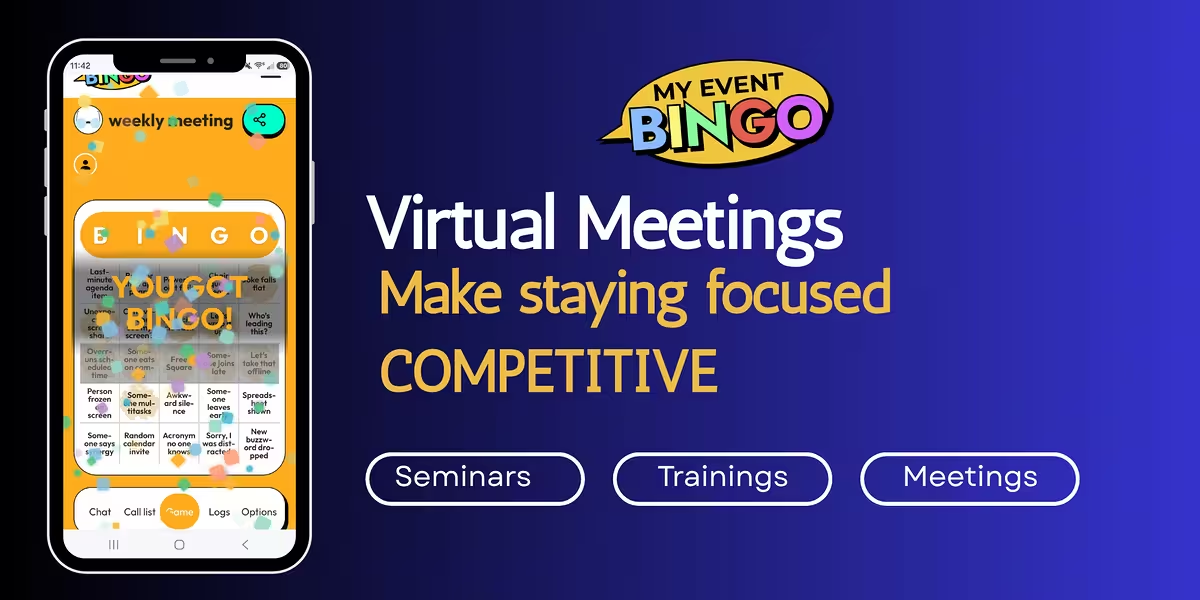
Turn the Presentation Into the Bingo Game
This changes the way attendees experience the meeting.
The best part of Virtual Meeting Bingo is that the presentation itself provides the action. There is no separate trivia session to conduct, no Bingo caller interrupting the speaker, and no reason to stop the meeting every few minutes to play a game.
Before the meeting, create a Bingo board using terms that are likely to appear during the presentation. A sales meeting might include squares such as Sales Goal, New Lead, Conversion, Customer Retention, Pipeline, Quarterly Goal, and Referral. A project meeting could use Deadline, Testing, Deployment, Budget, Approval, and Milestone. Training sessions can use terminology and concepts that participants are expected to learn.
As the presentation takes place, attendees listen for the items appearing on their boards. When discussing customer retention, for example, players with that square can mark it. When the conversation moves to the quarterly sales goal, another square may become available.
This changes the way attendees experience the meeting. Instead of passively hearing a presentation, they have something specific to listen for throughout it.
Keep Attendees Listening and Involved
A persistent challenges with virtual meetings is that the same technology that makes them convenient also provides plenty of opportunities for distraction. A participant can technically remain in a meeting while checking email, answering messages, reading another website, or working on something entirely unrelated.
Using MyEventBingo to create a Virtual Meeting Bingo game provides an incentive to keep following the conversation. A phrase they need for Bingo could be mentioned during the next slide, during a question from another attendee, or as part of a discussion later in the meeting.
That can be particularly useful during longer presentations, company meetings, training sessions, webinars, and other events where attendees are primarily listening. Even employees who already know much of the material have another reason to follow along.
The game can also help draw casual participants into the subject matter. Someone who does not normally pay much attention to sales terminology may suddenly notice every mention of leads, conversions, and customer retention because those terms are sitting on their Bingo board.

Reinforce the Ideas That Matter Most
Virtual Meeting Bingo can do more than make a Zoom meeting entertaining. The organizer can use the Bingo board to draw attention toward the information that matters most.
Suppose your company is introducing a new product. The Bingo squares could include the product name, important features, target customers, launch date, marketing channels, support procedures, and sales goals. As those subjects appear throughout the presentation, attendees recognize and mark them.
A training meeting can work the same way. If employees are learning a new process, the board can contain important steps, terminology, departments, policies, or procedures covered during the session. A project kickoff could use milestones, deliverables, team names, deadlines, and other concepts that participants need to remember.
This approach works because the game and the purpose of the meeting are pulling in the same direction. Attendees are not being asked to stop listening so they can participate in an activity. Listening is the activity.
As the organizer, you can still add a few lighter squares to keep things interesting. Virtual meetings have plenty of familiar moments that can become part of the board, including You're on Mute, Can Everyone See My Screen?, Let's Circle Back, or an unexpected pet appearance. Mixing those with meaningful presentation terms can keep the game playful without allowing it to take over the meeting.
Play Together From Wherever Everyone Is Working
Virtual Meeting Bingo is well suited to remote and hybrid teams because everyone plays on their own device. An employee working from home can watch the presentation on a computer while keeping the Bingo board open on a phone or tablet. Someone attending from an office can do the same thing, while employees in other cities or states participate in the same game.
There are no paper Bingo cards to distribute and no requirement for everyone to be physically together. The organizer shares the game, and attendees join from their own devices. This is perfect for Zoom or Teams Meetings.
Each player receives a shuffled board, so participants are not necessarily waiting for the same combination of meeting terms. One employee may need Budget to complete a Bingo while someone else is waiting for New Customer. That difference adds some friendly competition without changing the presentation itself.
It can also give remote attendees another shared experience. Virtual meetings sometimes feel less communal than gathering everyone around the same conference table. A simple game running alongside the presentation gives the group something else they are participating in together, even when everyone is joining from a different location.
If the whole team is around one conference table instead, office meeting bingo swaps the video call squares for in-room ones, like a dead dry erase marker and a room booked too tight.
Creating a Virtual Meeting Bingo Game
Setting up the game can be done before the meeting begins. Set up is easy. Start with a built-in game or create a game from scratch using your industry's key words and phrases. Give it a name, and customize the call list with words or phrases that fit the upcoming presentation. The date, time, and game options can then be selected before sharing the game link or QR code with attendees.
Once the meeting begins, participants open their Bingo boards on their phones or other devices and mark items as they occur. Because the words and phrases are tied to the presentation, there is no need for someone to stop the meeting and call Bingo items separately.
For a recurring team meeting, the board can also be changed from one meeting to another. A weekly sales meeting could use current goals and terminology, while a quarterly meeting could include broader company initiatives and performance topics. The game can be adapted to the meeting rather than forcing every meeting into the same generic Bingo board.
Add a Little Competition to the Meeting
Offering a prize can give attendees another reason to get involved. A coffee gift card, company merchandise, lunch, or a small workplace perk can be enough to make the competition interesting. For internal meetings, bragging rights may be perfectly sufficient, particularly in an office where people are capable of turning even minor victories into long-running rivalries.
For longer meetings, the organizer can allow multiple Bingo winners so the game continues after the first person completes a line. A larger virtual event might offer several small prizes throughout the presentation rather than putting everything on a single winner.
The game does not need to become the centerpiece of the meeting. It works better as something happening naturally alongside it. The presentation remains the reason everyone is there, while Bingo provides another way for attendees to participate.
Get Started Now to Make the Next Virtual Meeting More Engaging
Virtual Meeting Bingo gives attendees something to watch and listen for while the presentation is happening. The presenter can build the board around the topics that matter, attendees can play from wherever they are working, and everyone remains focused on the same meeting rather than shifting attention to an unrelated activity.
It can work for company-wide meetings, sales presentations, employee training, project kickoffs, webinars, team meetings, or other Zoom or Teams events where keeping people involved matters. The game can be serious, funny, or a mixture of both depending on the audience.
Most importantly, winning requires something every presenter would like attendees to do anyway: listen to what is being said.
Create the Virtual Meeting Bingo game before the next presentation, share it with the group, and give everyone one more reason to stay involved until the meeting ends.
