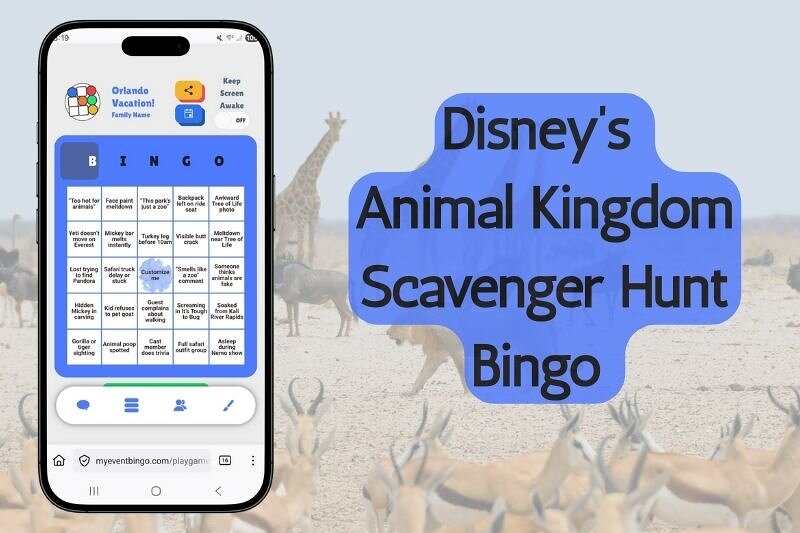
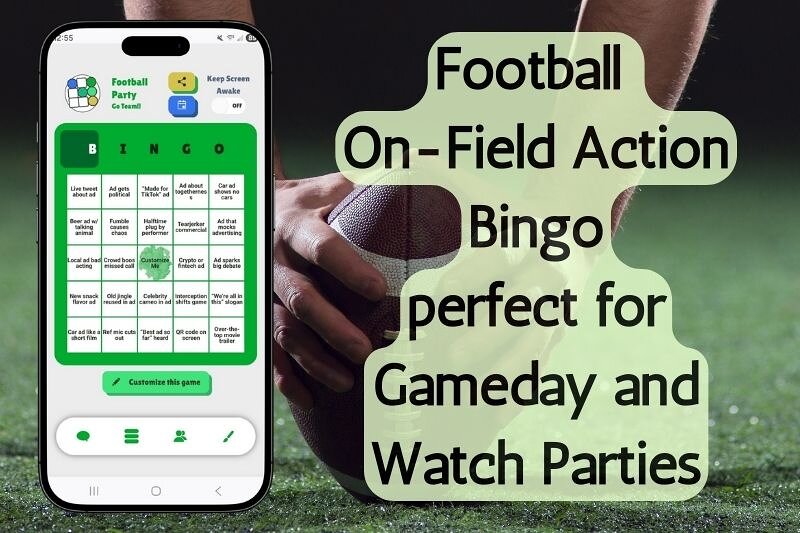
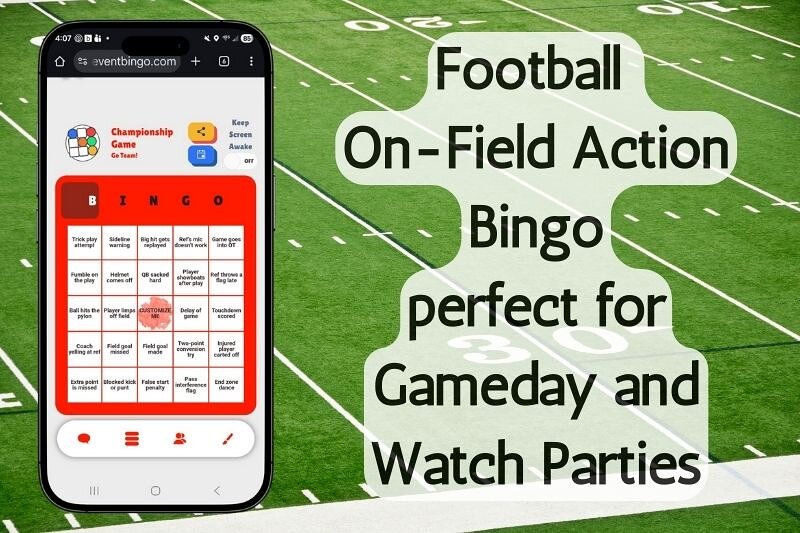
Someone sent you a bingo link? You're a few seconds from playing. Open the link or scan the QR code, type a quick name, and you land on your own bingo board. As things happen at the event, you tap the matching square. Your marks sync live with everyone in the game, chat is built in, and the first person to complete a line wins. No app to download, no account to create, and it works on any phone, tablet, or laptop.
How to join a game in 3 steps
- Open the join link your host shared, or scan the QR code with your phone camera.
- Enter a quick player name. No account, no sign-up, no email.
- You're in - your own board loads and you're part of the live game.
How playing actually works
This isn't the old kind of bingo where one person reads numbers off a card. Each square on your board is something that will happen at your event. As those things happen, you tap the square to mark it. Every mark you make is shared instantly to the live call list, so everyone can see what's been called and who caught it. Keep marking as the event unfolds, and the first player to complete a full line wins - the game detects it automatically, so there's never a dispute about who got there first.
What you'll see on your screen
Three things, all in one place:
- Your board - your own card of squares to watch for and mark.
- The live call list - every square that's been marked, who marked it, and when, updating in real time.
- The room - the player list, the chat, and a progress bar showing how close you are to a line.
Make it your own
Before or during the game you can set a player name, pick an avatar, and choose your board color so your marks stand out. Small touches, but they make the room feel like yours.
Chat and cheer while you play
Chat is built into the game. Talk trash, cheer a near-miss, and react to what just happened without leaving your board. A live game log also shows who just marked a square and who landed a bingo, so you always know what's going on - it's half the fun.
Play on your phone, tablet, or laptop
Anything with a browser works. Most people play on their phone, and if the group is on a video call (Zoom, Microsoft Teams, Google Meet, Discord), they keep the call and the bingo board open side by side. The game runs on its own, so the video call is just for seeing each other's faces.
Joining late or losing your connection
Life happens. If you join after the game starts, you'll drop right into the action on your own board. If your phone goes to sleep or your wifi blips, just reopen the link - you come back to the same game, right where it is.
Do you need an account or an app?
No, and no. You play right in your browser through a shared link or QR code, with no download and no account needed to join. You just enter a name and start marking squares.
Want to host your own game?
Playing is half of it - hosting your own is just as easy. Pick the squares, share one link, and everyone plays together. See how to host virtual bingo for the full walkthrough, then head to the Game List page to set one up.
Frequently asked questions
How do I join a bingo game?
Open the link your host shared (or scan the QR code), enter a quick name, and your board loads. No account or app needed.
Do I need to download an app?
No. It runs in your phone or computer's browser. There's nothing to install.
Do I need to create an account?
No account is needed to join and play - just enter a player name.
Can I play on my phone?
Yes. Phone, tablet, or laptop - any device with a browser works.
What do I mark on my board?
Each square is something that happens at your event. When it happens, tap the square to mark it. Your mark is shared live with everyone.
How do I know if I won?
The game detects a completed line automatically and announces the win to the whole room - no hand-checking.
Can I chat with other players?
Yes, chat is built into the game so you can talk and react while you play.
What if I join late or get disconnected?
Reopen the link and you'll come right back to the same live game.
Is it free to play?
Yes. Joining and playing happen in your browser with no download and no account.
Open the link your host shared (or scan the QR code), enter a quick name, and your board loads. No account or app needed.
Do I need to download an app?
No. It runs in your phone or computer's browser. There's nothing to install.
Do I need to create an account?
No account is needed to join and play - just enter a player name.
Can I play on my phone?
Yes. Phone, tablet, or laptop - any device with a browser works.
What do I mark on my board?
Each square is something that happens at your event. When it happens, tap the square to mark it. Your mark is shared live with everyone.
How do I know if I won?
The game detects a completed line automatically and announces the win to the whole room - no hand-checking.
Can I chat with other players?
Yes, chat is built into the game so you can talk and react while you play.
What if I join late or get disconnected?
Reopen the link and you'll come right back to the same live game.
Is it free to play?
Yes. Joining and playing happen in your browser with no download and no account.
Ready to play?
Open your link, enter a name, and start marking squares. Or host your own game and invite friends, family, or coworkers to join from anywhere.